 Ossian
Your library deserves a great narrator.
The audiobook player for your own Audiobookshelf or Jellyfin. Free, with downloads, and it collects no data at all.
For Audiobookshelf and Jellyfin. Plex, soon. Ossian doesn’t include audiobooks: it connects to your server.

Every book, its own colour.
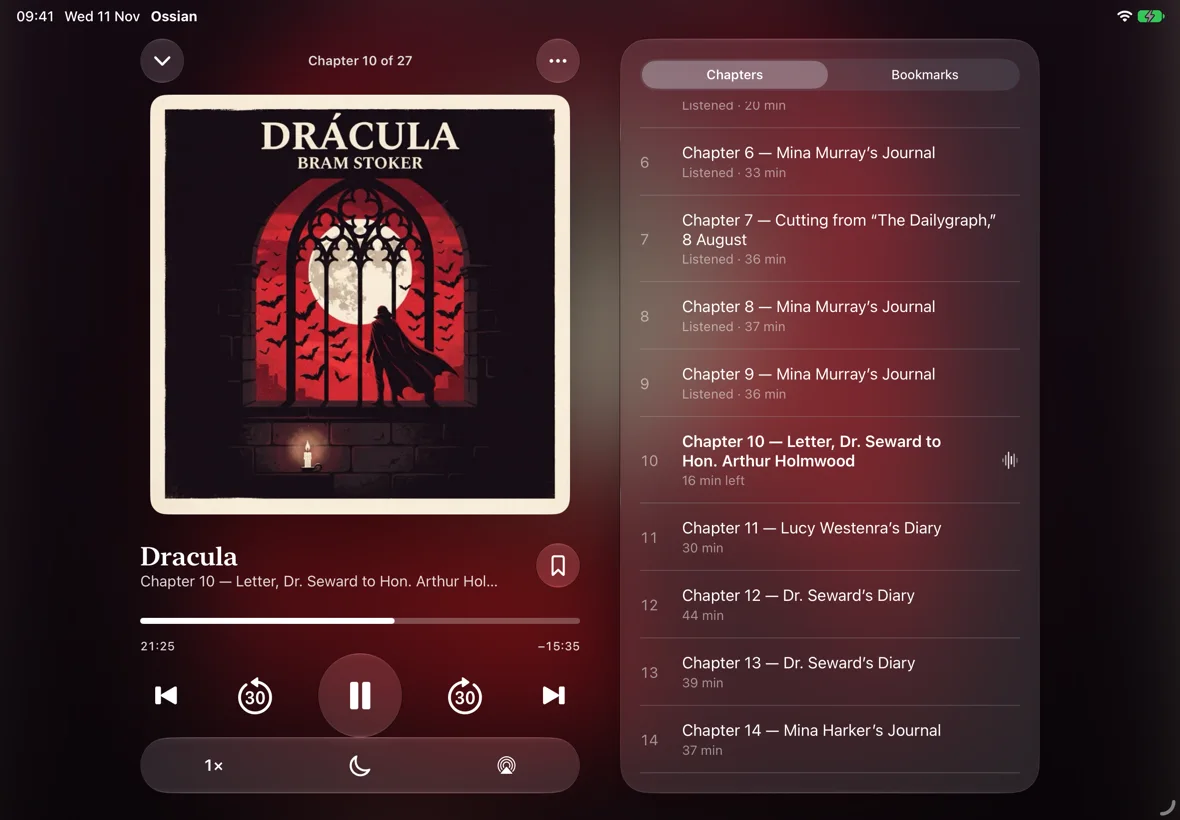
The player takes on the colours of each cover. Watch it change, or pick a book yourself.
- Chapters and bookmarks. Jump to any chapter and save the moments you want to remember.
- Speed and skips. From 0.8× to 3× without changing the pitch of the voices, plus 30-second skips.
- AirPlay and Lock Screen. Keep listening on your speakers and control everything without unlocking.
Right where you left off, wherever you are.
Your progress lives on your server: start on your iPhone, carry on in the car and finish in the living room.
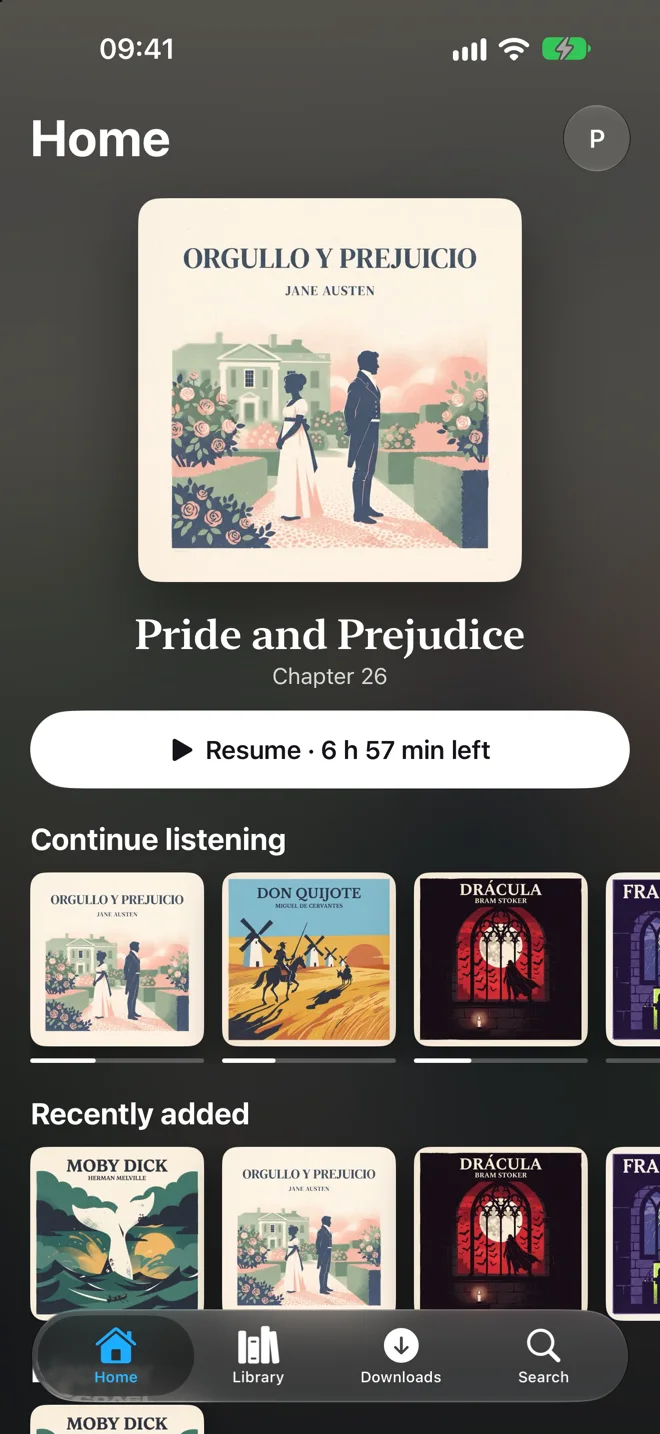
- The moment you open it
- What you’re listening to, front and centre with a button to resume. Below, what you’ve got on the go and the latest arrivals on your server.
- Free downloads
- Download whole books from your own library for the plane, the underground or the village with no signal. If you listen offline, your progress syncs when you’re back.
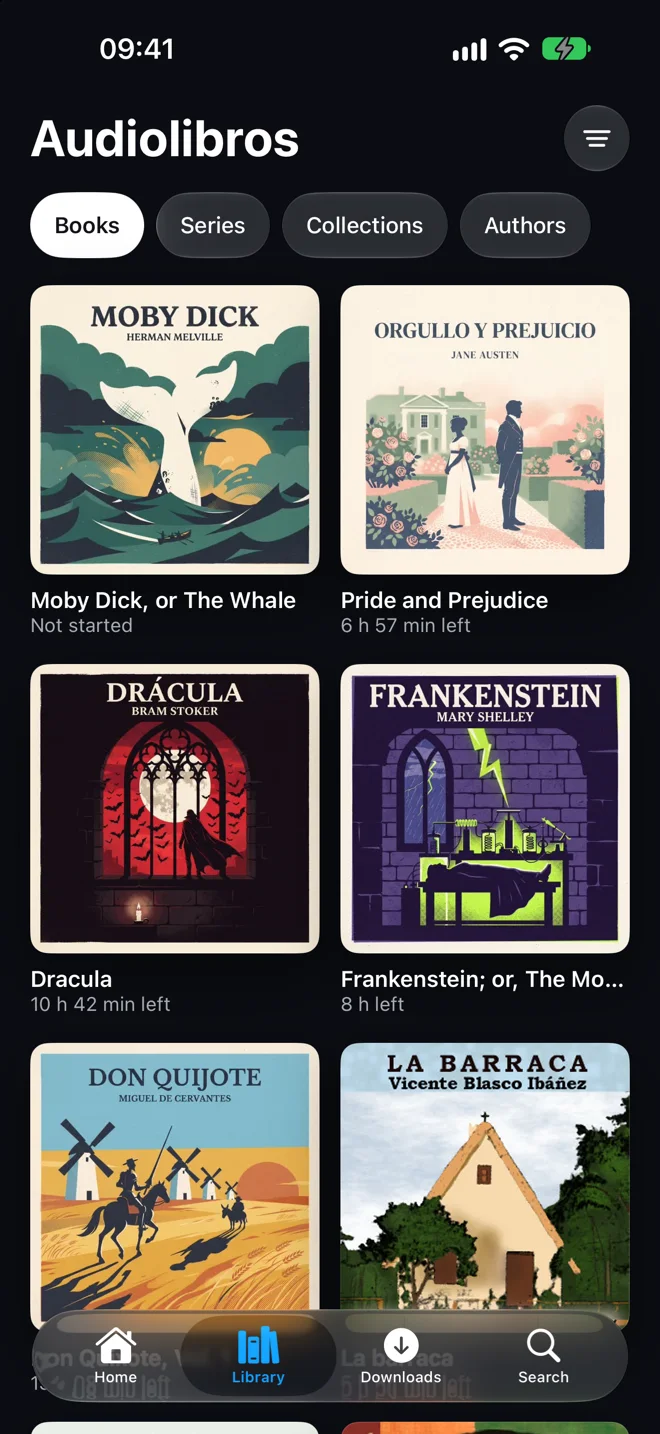
- Your library, by its covers
- Books, series, collections and authors, sorted however you like.
- Widgets, Siri, CarPlay and Apple Watch
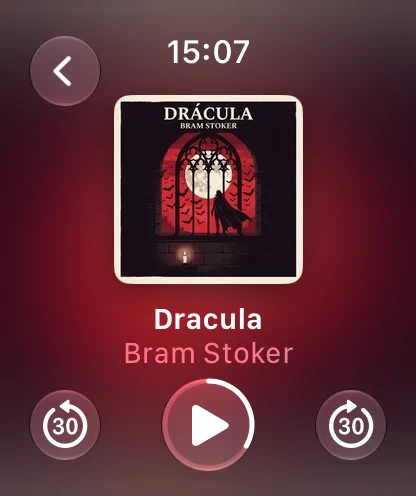
- Pick up your book from the Home Screen, ask Siri for it, listen in the car with big buttons or control it from your wrist.
Try it: choose how long you want to listen.
For falling asleep to a good book.
Candle Mode is a warm sleep timer that won’t dazzle you in the dark. The volume fades slowly until it stops, and Ossian saves your place two minutes earlier, so tomorrow you won’t have to hunt for where you nodded off.
On every screen you own.
On iPad, the cover on one side and the chapters on the other. On the TV, no typing passwords with the remote: Apple TV shows a code and you link it with your iPhone in seconds. And with Ossian Plus, on Apple Watch: your book on your wrist, even with your iPhone out of reach.
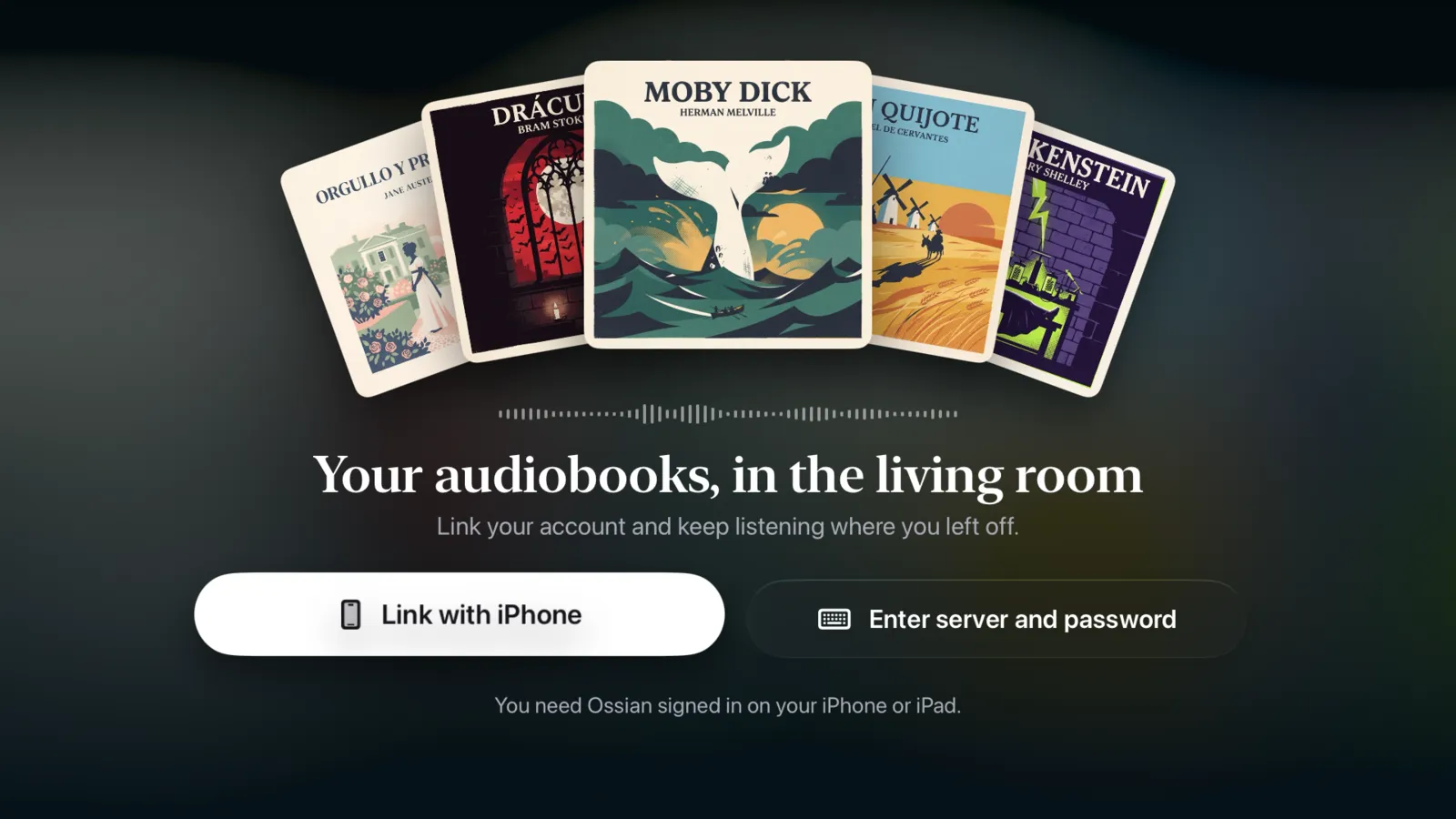
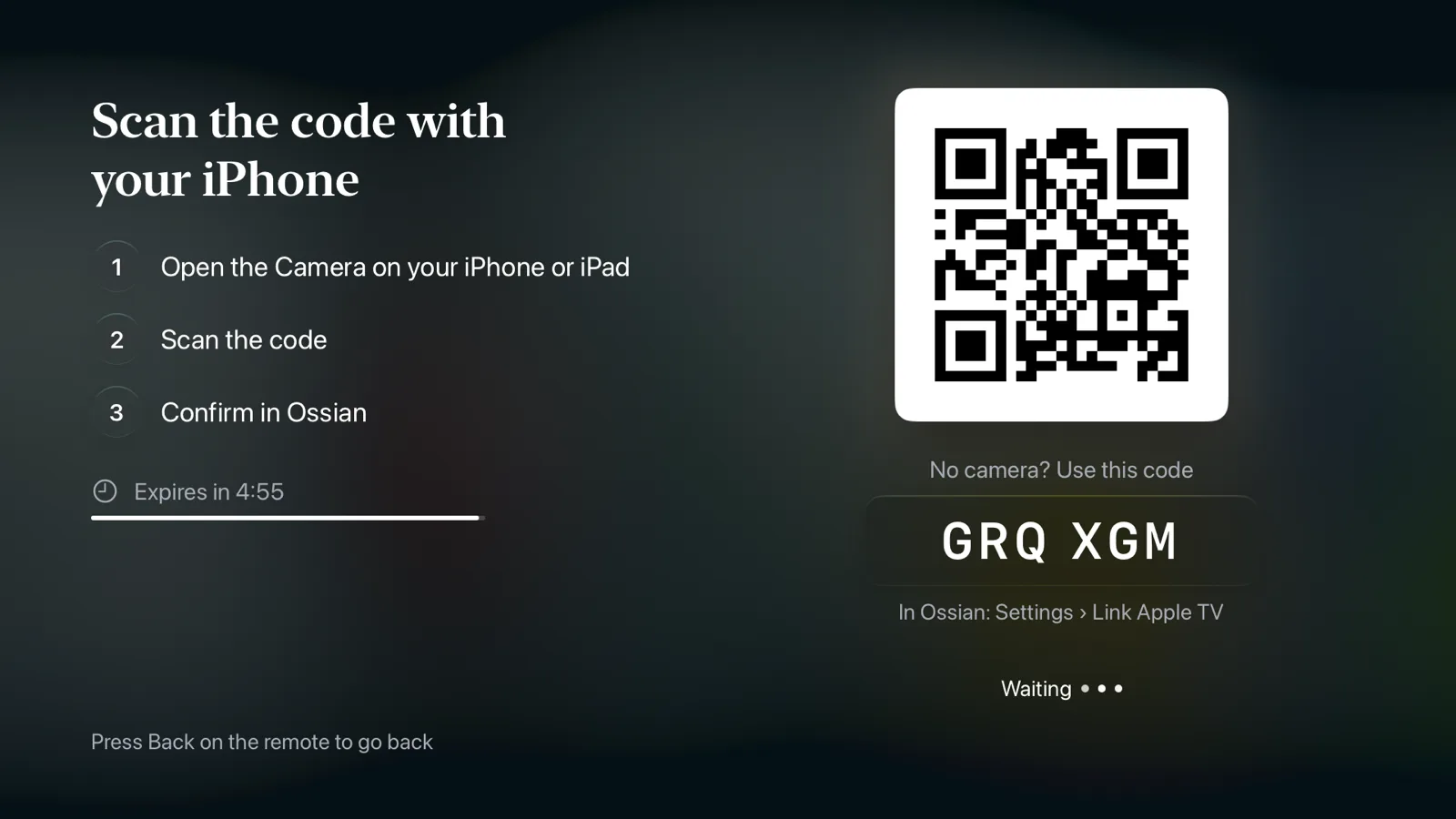
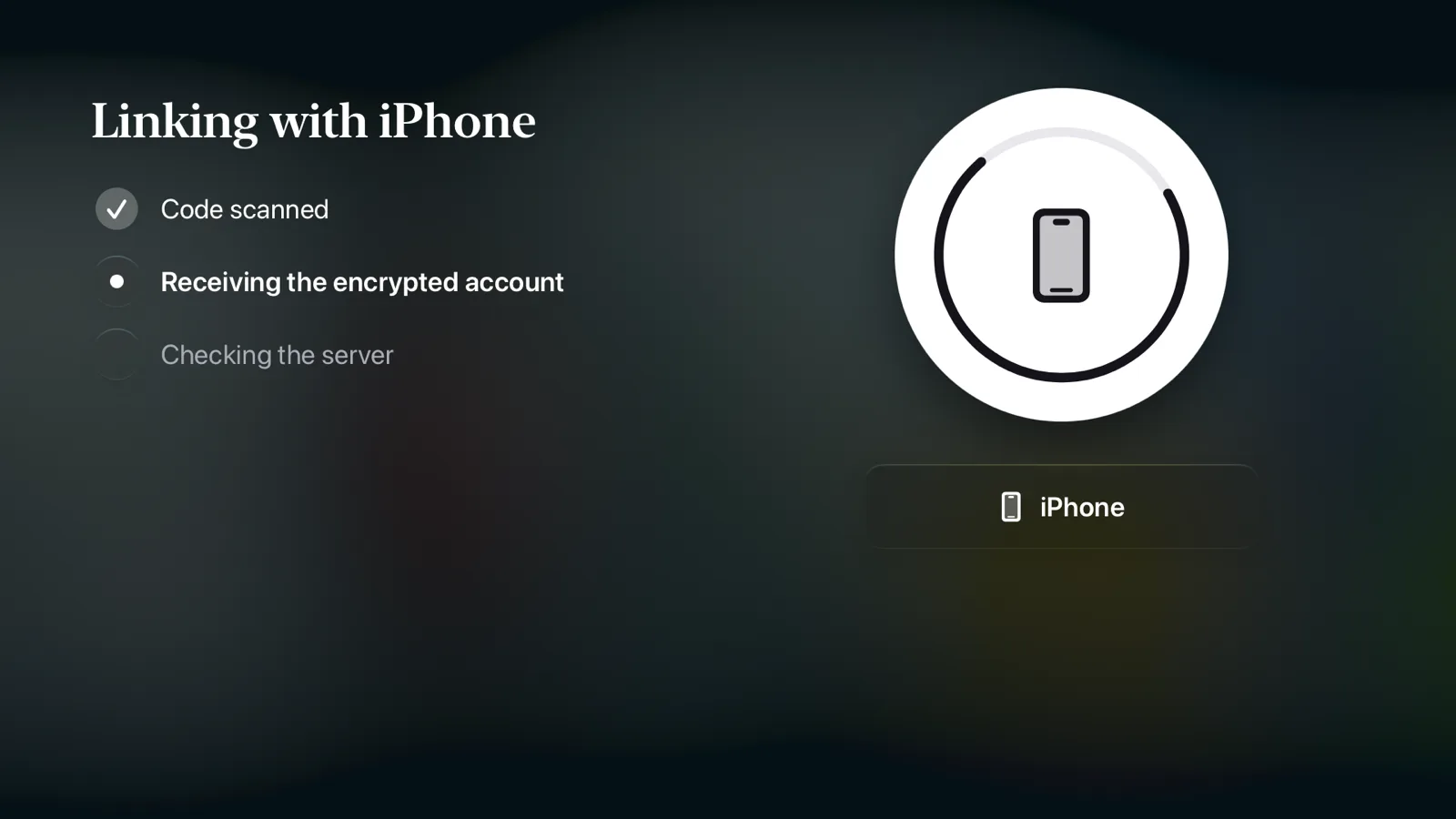
- Open Ossian on Apple TV. You’ll see a QR code that lasts five minutes.
- Scan it with your iPhone. With the camera, or type the code in Ossian’s Settings.
- Confirm. Your account travels encrypted over your local network, straight from iPhone to TV.
Ossian collects no data. None.
No Ossian accounts. No analytics. No ads. No middleman servers. Your credentials stay in the Keychain.
Free to listen. Plus for everything else.
No subscriptions. Ossian Plus is paid once and yours forever.
Ossian
Everything you need to listen to your library on iPhone and iPad.
- One Audiobookshelf server
- Downloads for offline listening
- Progress synced with your server
- Chapters, speed and skips
- Candle Mode
- Lock Screen, AirPlay, Siri, Shortcuts and widgets
Ossian Plus
For people who listen everywhere.
- Apple TV app
- CarPlay
- Apple Watch
- Multiple servers and Jellyfin
- Full Candle Mode
- Listening stats and bookmarks
- Alternate icons
Price in Spain, VAT included. In other countries, as set by the App Store.
Frequently asked questions
Does Ossian come with audiobooks?
No. Ossian is just the player: it doesn't include any audiobooks or any server. You listen to whatever is on your own Audiobookshelf or Jellyfin, and you're responsible for having the rights to that content.
If you're looking for free books to start with, LibriVox has thousands of public-domain audiobooks.
What do I need to use it?
An Audiobookshelf 2.26 or later server, or a Jellyfin server, and an iPhone or iPad running iOS 26 or later. For Apple TV, tvOS 26 or later.
Does it work away from home?
Yes, if your server is reachable from the internet or through a VPN such as Tailscale. And when you're offline, you can listen to what you've downloaded: Ossian keeps your progress and sends it to your server when you're back.
What about Plex?
It's on its way. In the meantime, Ossian works with Audiobookshelf and Jellyfin.
Is Ossian Plus a subscription?
No. It's a one-time purchase through the App Store. If you get a new iPhone or want it on your iPad or Apple TV, use “Restore purchases” with the same Apple Account.
How do I connect Apple TV?
Open Ossian on Apple TV and choose “Link with iPhone”. Scan the code with your iPhone's camera (or type it in Ossian › Settings › Link Apple TV) and confirm. Both need to be on the same Wi-Fi network.
What does Ossian do with my data?
Nothing, because it doesn't collect any. Your password only goes to your server and isn't stored; your library and your progress live on your server. It's all in the privacy policy.
Is Ossian made by Audiobookshelf or Jellyfin?
No. Ossian is an independent app and isn't affiliated with Audiobookshelf, Jellyfin or Plex.
I have a problem or an idea
Write to us at hola@ourtreehouse.eu. Tell us which server and version you use, and we'll get back to you as soon as we can.